Android animation has become a core element of modern mobile app design, helping applications feel more intuitive, responsive, and engaging. With continuous updates to the Android animation framework, developers now have more powerful tools to create smooth transitions, interactive motion, and performance-optimized effects. In this article, EZtek highlights the most essential Android animation types used in today’s applications.
What is Android animation?
Android animation is the process of adding movement and visual transformations to UI elements to create a more dynamic experience. Rather than having elements appear or disappear instantly, animations allow them to slide, fade, grow or morph over a specific duration. This is achieved by the system changing the properties of an object such as its coordinates, scale or opacity, frame by frame.
To implement these effects, developers often use an android animation xml file, which allows for a clean separation between the animation logic and the application code. By defining animations in XML, you can easily reuse motion patterns across different screens, ensuring a consistent look and feel. Modern Android development categorizes these movements into various systems, ranging from simple view transitions to complex, physics-based animations that respond to user velocity and touch, making the digital interface feel like a physical object.

Why are Animations important for user interfaces?
When users interact with a mobile application, they expect more than static screens, they tap, swipe, scroll and navigate continuously. Well-designed animations provide visual feedback for these actions, making interactions feel natural and helping users clearly understand changes within the interface, especially during android animation transition between screens.
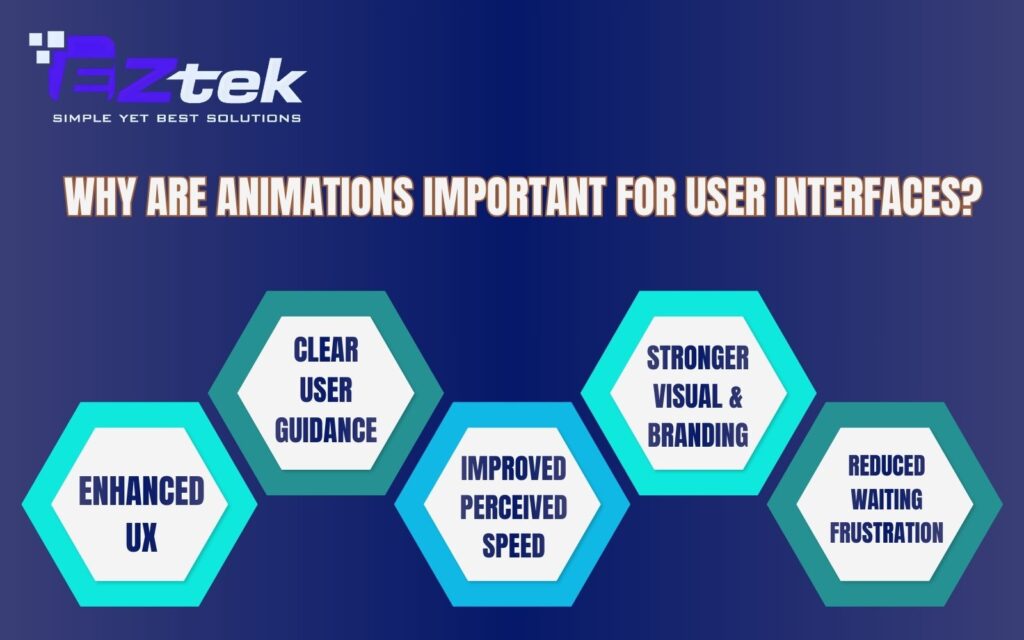
Key reasons why animations matter in user interfaces include:
- Enhanced user experience (UX): Animations make the app feel more responsive, smooth, and intuitive to use.
- Clear user guidance: Motion helps users follow UI changes and understand relationships between elements on the screen.
- Improved perceived speed: Smooth transitions and controlled android animation speed can make apps feel faster, even during background processing.
- Stronger visual appeal and branding: Consistent and unique animations reinforce brand identity and make the app stand out.
- Reduced waiting frustration: Loading animations or skeleton screens reassure users that the app is actively working.
Main types of Android animations
Android provides multiple animation systems designed to handle different UI and interaction needs. Each type serves a specific purpose, from simple visual effects to complex motion-driven layouts, all built within the android animation framework.
View animation
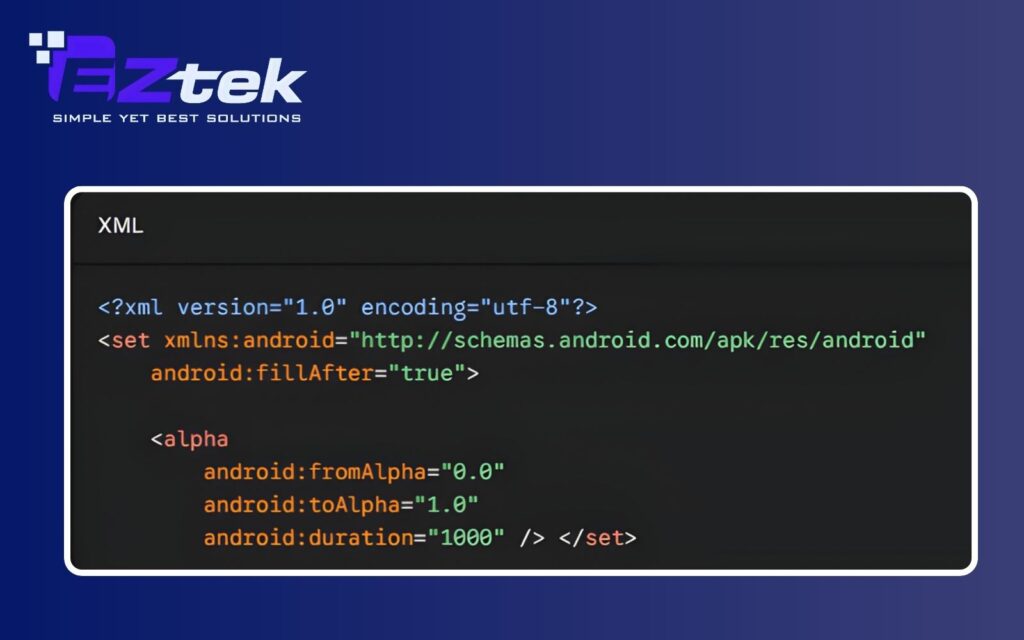
View Animation is the earliest animation system in Android and works directly on View objects. It supports basic transformations such as translate, scale, rotate, and alpha, and is usually defined using android animation xml. This type of animation only changes the visual appearance of a view, not its actual properties or layout position.
- Pros: Simple to implement, lightweight, and suitable for basic visual effects or quick UI feedback.
- Cons: Limited flexibility, applies only to View objects, and does not update real view properties, which can cause issues with interaction handling.
Example: A simple android animation example is fading in a Button using an XML-defined alpha animation when it appears on the screen.
Property animation
Property Animation is the most powerful and flexible animation system in Android, introduced from Android 3.0 (API 11). Unlike View Animation, it works by changing the actual properties of an object, not just its visual appearance. This means developers can animate almost anything—position, size, opacity, rotation, color, or any custom property with getter and setter methods—making it a core part of the modern android animation framework.
- Pros: Extremely flexible, supports complex animations, updates real object properties, and works with any object type (not only View).
- Cons: More complex to implement and requires careful optimization to avoid performance issues in heavy animations.

Transition framework
The Transition Framework (found in the android transition package) is specifically designed to animate changes between different UI states or layouts. It excels at handling major interface shifts, such as moving between activities or changing the visibility of multiple views simultaneously. This system automates the android animation transition, making it easy to create polished “Shared Element” transitions where an image smoothly glides from a list view to a detail screen.
- Pros: Highly efficient for layout changes and screen navigation; provides high-level APIs that handle complex view hierarchies with minimal code.
- Cons: Less granular control over individual property values compared to Property Animation; primarily focused on pre-defined “scenes” rather than continuous, custom motion.
Example: You can enable automatic animations for adding or removing child views by simply setting a flag in your XML layout:

Motion layout
Built as an extension of ConstraintLayout, MotionLayout is a powerful, declarative framework designed to manage complex motion and widget animations. It allows developers to define different UI states and the paths between them entirely within a separate XML file. This makes it the premier choice for handling sophisticated android animation sequences, such as parallax effects or animations that respond directly to user touch and gestures like swiping or dragging.
- Pros: Seamlessly integrates with the Android Studio Layout Editor for visual debugging; excellent for touch-driven seeking and complex multi-view coordination.
- Cons: Higher learning curve compared to other systems; requires the use of ConstraintLayout as the parent view.
Example: In a MotionLayout setup, you define a MotionScene in XML to describe how a view should move when a user swipes the screen:

Animated vector drawables (AVD)
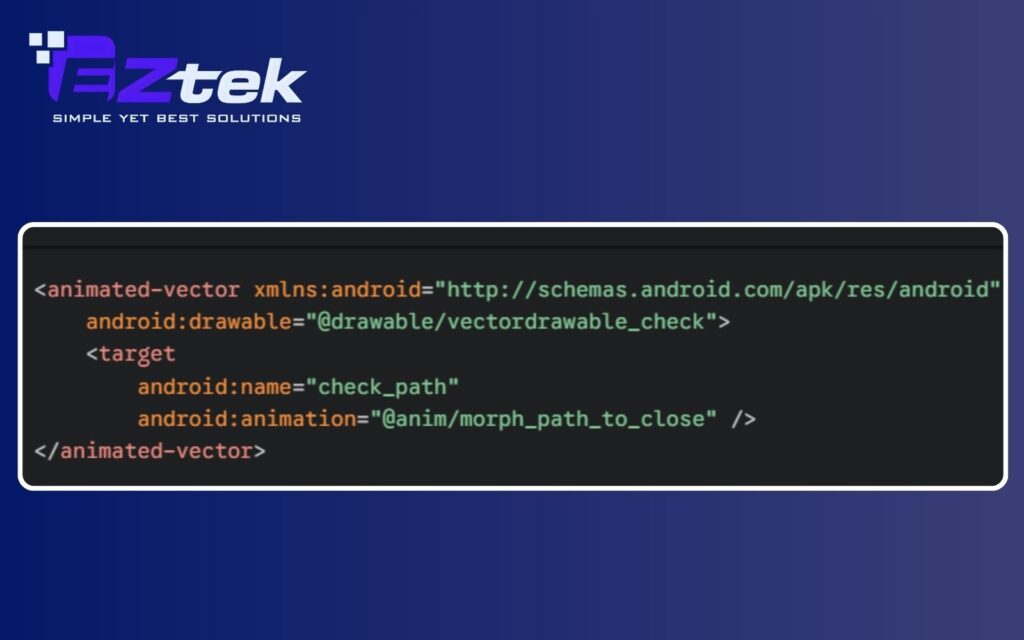
Rather than animating the container or the View itself, Animated Vector Drawables (AVD) allow you to animate the internal paths and attributes of a vector graphic. By using an android animation drawable example, developers can create sophisticated effects like an icon morphing from a “Play” button into a “Pause” button, or a “Hamburger” menu transforming into a “Back” arrow. This system uses ObjectAnimator to target specific paths within a vector file, resulting in smooth, resolution-independent motion.
- Pros: Extremely lightweight and crisp at any screen density; perfect for adding “micro-interactions” that make an app feel premium and polished.
- Cons: Requires knowledge of SVG paths and vector design; complex animations can be difficult to hand-code without specialized tools like Shape Shifter.
Example: An AVD setup typically involves an <animated-vector> tag that links a static vector drawable to an animation file:
Comparing different types of Android animations
To better understand how each animation system fits different development needs, the table below compares the main Android animation types based on their scope, complexity, flexibility, and typical use cases.
| Animation Type | Applicable Objects | How It Works | Complexity Level | Flexibility | Common Use Cases |
| View Animation | View only | Applies visual transformations without changing real properties | Low | Low (limited to basic transforms) | Simple UI effects, maintaining legacy code |
| Property Animation | Any object with properties (View, custom objects) | Updates actual property values over time | Medium | High | Most UI animations, non-View object animations |
| Transition Framework | Layout changes, Activity/Fragment transitions | Animates differences between UI states | Medium–High | Medium | Screen transitions, adding or removing views in layouts |
| Motion Layout | ConstraintLayout and child views | Defines motion between start and end states using constraints | High | Very High | Complex UI animations, gesture-based interactions, parallax effects |
| Animated Vector Drawable (AVD) | VectorDrawable | Animates vector paths and color properties | Medium | Medium | Icon animations, lightweight vector-based motion |
EZtek’s custom Android animation services: Boost user engagement and performance
EZtek is a leading software development partner based in Vietnam, specializing in custom software development and end-to-end mobile app solutions with a strong focus on quality and innovation. With over a decade of experience in delivering web and mobile applications, EZtek helps businesses harness the full potential of Android technology, including advanced android animation implementation, to create highly engaging and intuitive user experiences.

What sets EZtek apart is its commitment to understanding each client’s unique requirements and translating them into polished, performance-optimized solutions. Their talented team of developers, designers, and project managers works closely with clients throughout the project lifecycle to ensure animations and transitions not only look great but also enhance usability and responsiveness on every device.
With deep technical expertise with best practices in UI/UX design, EZtek’s Android Animation Services help elevate mobile applications from functional to delightful, improving user engagement, retention, and overall satisfaction. Whether you need subtle motion cues, complex interactive transitions, or fully customized animated layouts, EZtek delivers tailored solutions that align with your brand and business goals.
Contact EZtek today to transform static interfaces into dynamic experiences that captivate your users.

Contact Information
- Hotline: 0918 655 003
- Email: [email protected]
- Address: 2nd Floor, Halo Building, 60 Nui Thanh street, Tan Binh ward, HCMC, Vietnam
To sum up, Android animation is a powerful tool that goes beyond visual appeal, helping create intuitive, responsive, and engaging user experiences. By understanding the basic types of Android animation and choosing the right approach for each use case, businesses can significantly improve usability and performance in their applications. If you are looking to enhance your Android application with smooth, engaging and performance-optimized animations, EZtek is ready to help you turn great ideas into exceptional user experiences.